Highlight Used Assets/使用中アセットマーカー
- ダウンロード商品¥ 0無料ダウンロードProjectGUI_AvatarAssetTrackerV1.2.zip(6.96 KB)ProjectGUI_AvatarAssetTrackerV1.2.zip
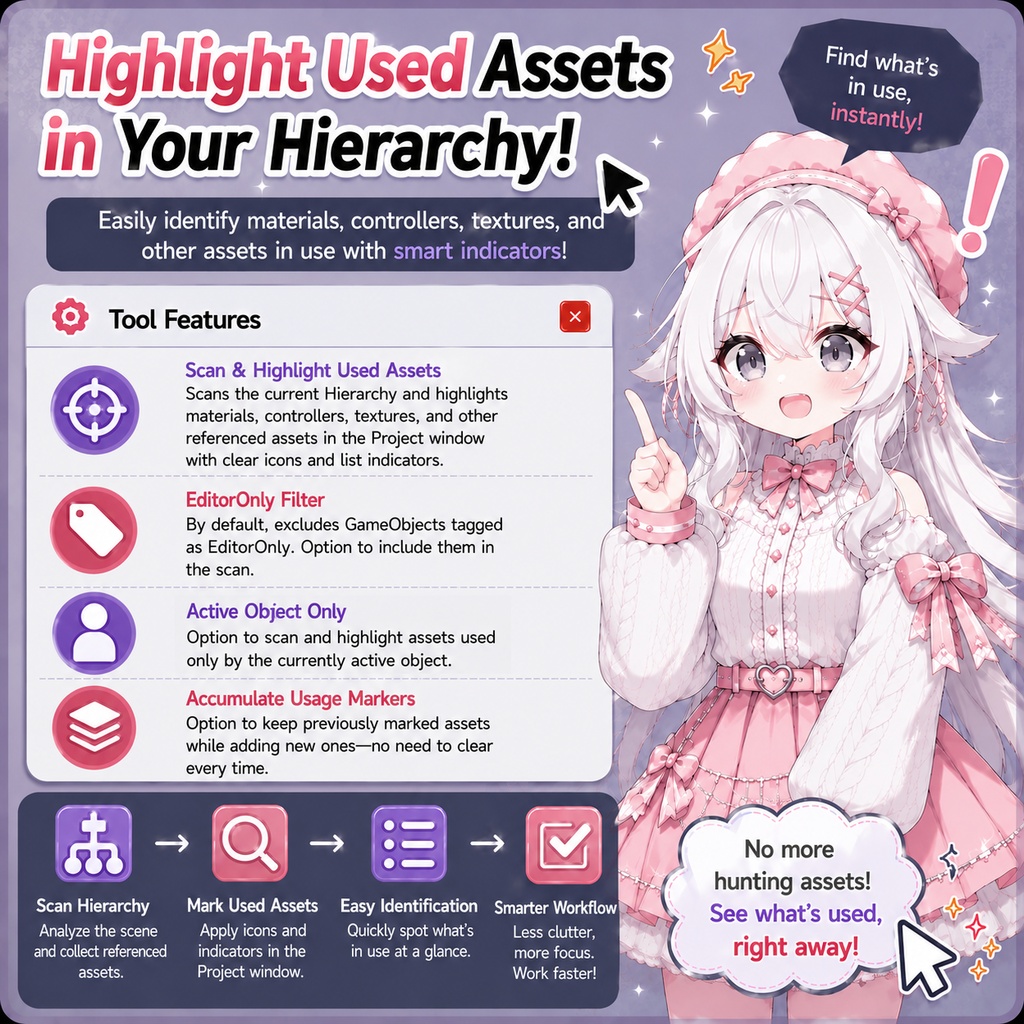
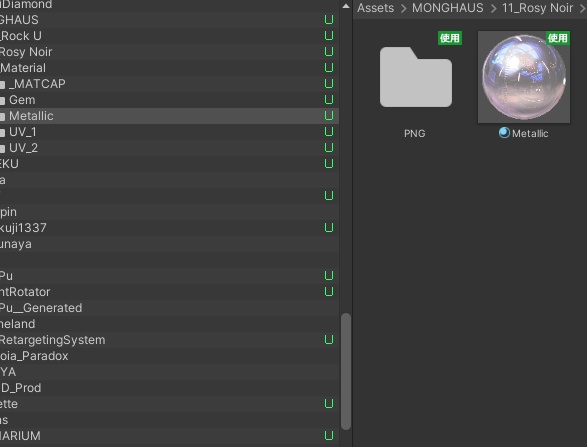
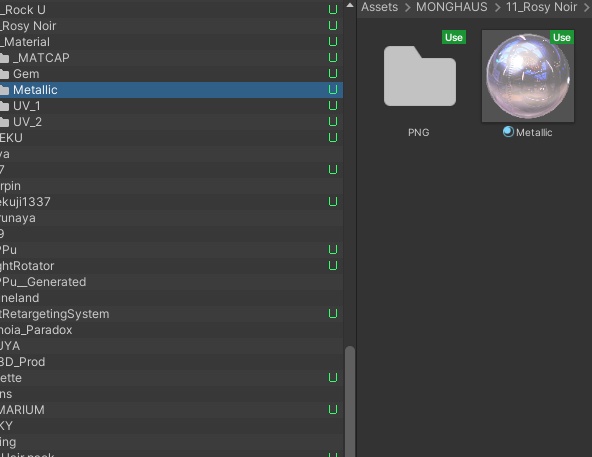
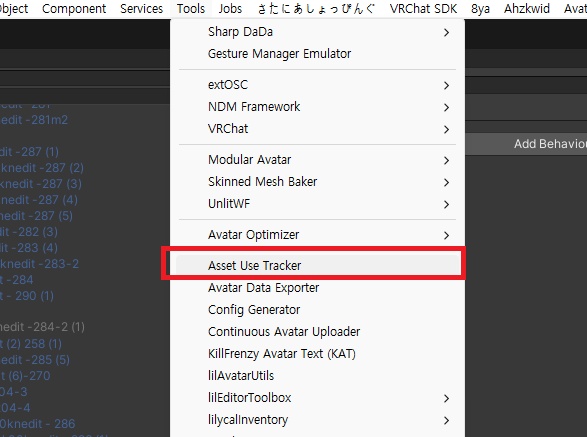
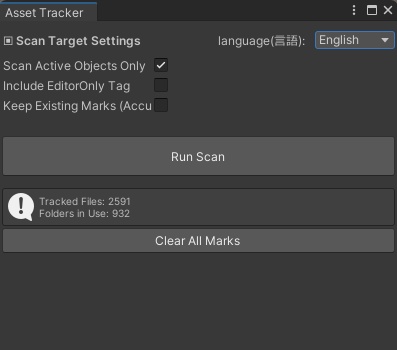
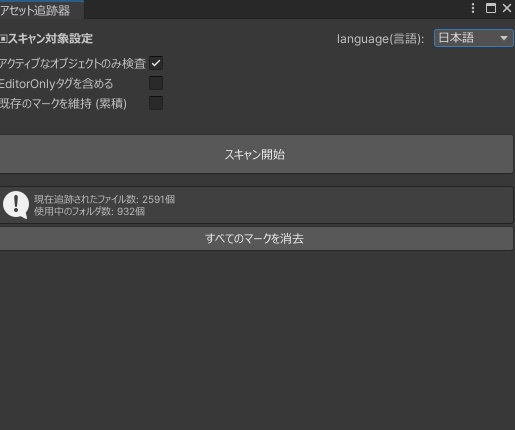
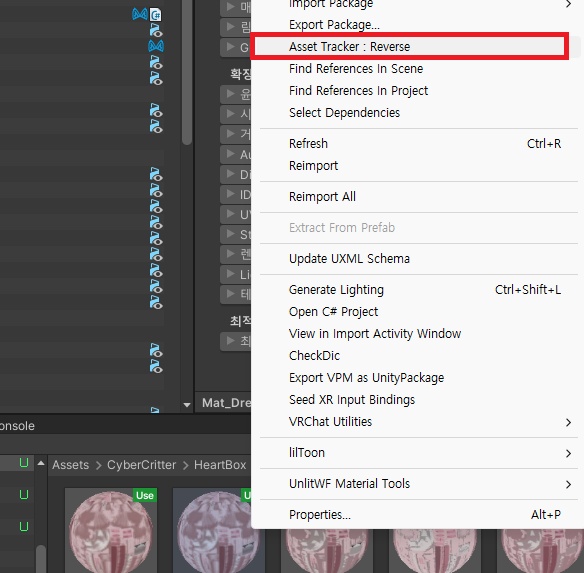
Gemini を使用して、Unity の Hierarchy 内で現在使用されているマテリアル、コントローラー、テクスチャなどのアセットを調査し、Project ウィンドウのアイコンやリスト上で判別できるように目印を付けるツールを作成しました。 機能概要: - デフォルトでは EditorOnly タグが付いたオブジェクトを除外して使用中のアセットをスキャンし、目印を付けます。 - EditorOnly タグ付きオブジェクトを含めてスキャンすることや、有効なオブジェクトのみを対象にチェックすることが可能です。また、既存の目印を保持したまま、新たな目印を追加(累積)できます。 - マーク付きのアセットは、右クリックして「Asset Tracker Reverse」を選択すると、そのアセットを使用しているオブジェクトを選択できます。(Unity再起動後、この機能はリセットされます。再スキャンが必要です。) ※注意: Play Mode(アップロード時)に生成・使用されるマテリアルは検査対象外です。例えば、SeeThroughHair の生成済みマテリアルや、AAO の Merge Mesh によって結合されたメッシュなどは検査されません。 I created a Unity tool with Gemini that marks the materials, controllers, textures, and other assets currently used in the Hierarchy, making them easy to identify in the Project window through icons and list indicators. Features: - By default, the tool scans all referenced assets while excluding GameObjects tagged as EditorOnly, then marks the assets that are in use. - Supports including EditorOnly objects in the scan, checking only the active object, and accumulating usage markers without clearing previously marked assets. - Assets marked with the indicator can be traced back to the objects using them by right-clicking and selecting "Asset Tracker Reverse"(Resets after restarting Unity. A rescan is required.) ※Note: Materials that are generated and used only during Play Mode (or at upload time) are not included in the scan. For example, the generated material used by SeeThroughHair, or meshes merged through AAO (Merge Mesh). 유니티 상에서 현재 하이어라키에 들어있는 마테리얼, 컨트롤러, 텍스쳐 등을 프로젝트 창에서 아이콘 및 리스트에서 식별 가능한 표식을 남기는 툴을 제미나이(Gemini)로 만들어봤습니다. 기능 요약은 다음과 같습니다: - 기본적으로 EditorOnly 태그가 된 오브젝트는 제외하여 사용하는 파일 전수 조사하여 표식을 남깁니다 - EditorOnly 태그된 것 포함 혹은 활성화된 오브젝트만 체크하여 구분 및 표식을 남긴채 누적된 상태로 표식 추가 가능 - 표식이 있는 에셋을 오른쪽 클릭하여 나오는 asset tracker reverse 를 통해 해당 사용하는 오브젝트를 선택 가능(단, 유니티 재시작시 이 기능은 초기화됩니다. 재스캔 필요) ※주의사항: 플레이 모드, 즉 업로드시에 생성되어 사용하는 마테리얼 등은 조사되지 않습니다. 예를 들자면 SeeThroughHair 의 Generate 된 마테리얼 항목, 혹은 AAO를 통한 Merge Mesh 등.
Update information
v1.2 - 逆追跡機能は、スキャン実行後にのみ使用できるよう変更しました。 v1.1 - 使用中マークを逆追跡する機能を追加しました。 v1.2 - Changed the Reverse Trace feature so that it becomes available only after a scan has been completed. v1.1 - Added a Reverse Trace feature for usage markers. v1.2 - 역추적 기능을 스캔 이후에 활성화 되도록 변경했습니다. v1.1 - 표식을 역추적하는 기능을 추가했습니다.